Bright LED Flashlight
- 4.7
- Rating
- 5.00M
- Installs
- Free
- Price
 Analysis by App-foxy
I keep a flashlight app on my phone for the moments when a regular torch is not within reach: finding a dropped key under a car seat, checking a dark stairwell, or looking through a bag during a power cut. Bright LED Flashlight takes that simple need and adds a digital compass, making it more useful than a basic screen-light shortcut without turning itself into a crowded travel toolkit. My overall view is straightforward: it is a practical emergency light for Android users who want quick access and low battery use, but it is not a replacement for a proper navigation app or a dedicated outdoor torch.
The app comes from Tools Dev and sits in the Travel & Local category. It is free to use, rated for Everyone, and has built a strong audience with a 4.7 average from around 19 thousand ratings and more than 5 million installs. Those figures suggest that its appeal is not limited to hikers or travelers; it is mainly the kind of small utility people keep because it solves an occasional problem quickly.
What makes this flashlight more useful than the usual shortcut
The first thing I noticed is that the app has a clear, narrow purpose. Bright LED Flashlight is centered on the phone’s light rather than trying to become a full travel planner, map service, or weather dashboard. That focus matters. When I open a flashlight, I generally do not want to sort through unrelated tools before finding the control I need.
You May Also Like

 Blood Strike: 2.5 Anniversary
Blood Strike’s Loadouts Turn Every Drop Into a Tactical Gamble
A close look at Blood Strike’s custom loadouts: how fast access to signature weapons reshapes its battle royale rhythm, rewards preparation, and narrows the gap between fights.

 Pandora - Music & Podcasts
Pandora’s Music Is Easy to Start, but Harder to Recover
Pandora’s strength is its low-effort path from a seed to a station. Its weak spot is how much confidence it asks you to place in connection, setup, and quiet recovery.

 8 Ball Pool
 Is Built on Rivalries, Rematches, and Routine
A close look at the rivalries, rematches, shared routines, and unanswered safety questions that turn a quick pool match into a persistent mobile community.

 Samsung Music
’s Quiet Strength Is Playing What You Already Own
Its reach comes less from spectacle than from dependable access to a personal library. That simplicity is both the app’s strongest retention engine and its ceiling.

 AccuWeather: Weather Radar
AccuWeather Review: A Quick, Clear Forecast for Everyday Decisions
For everyday plans, the best forecast is the one you can understand quickly. AccuWeather makes rain timing, radar, and local conditions easy to act on, with a few trade-offs.

 Hill Climb Racing
Why Hill Climb Racing Still Turns Crashes Into One More Run
A tiny car, a bumpy hill and one more upgrade: Hill Climb Racing keeps resurfacing because its simple chaos makes every near-miss feel personal.
More From Our News Desk



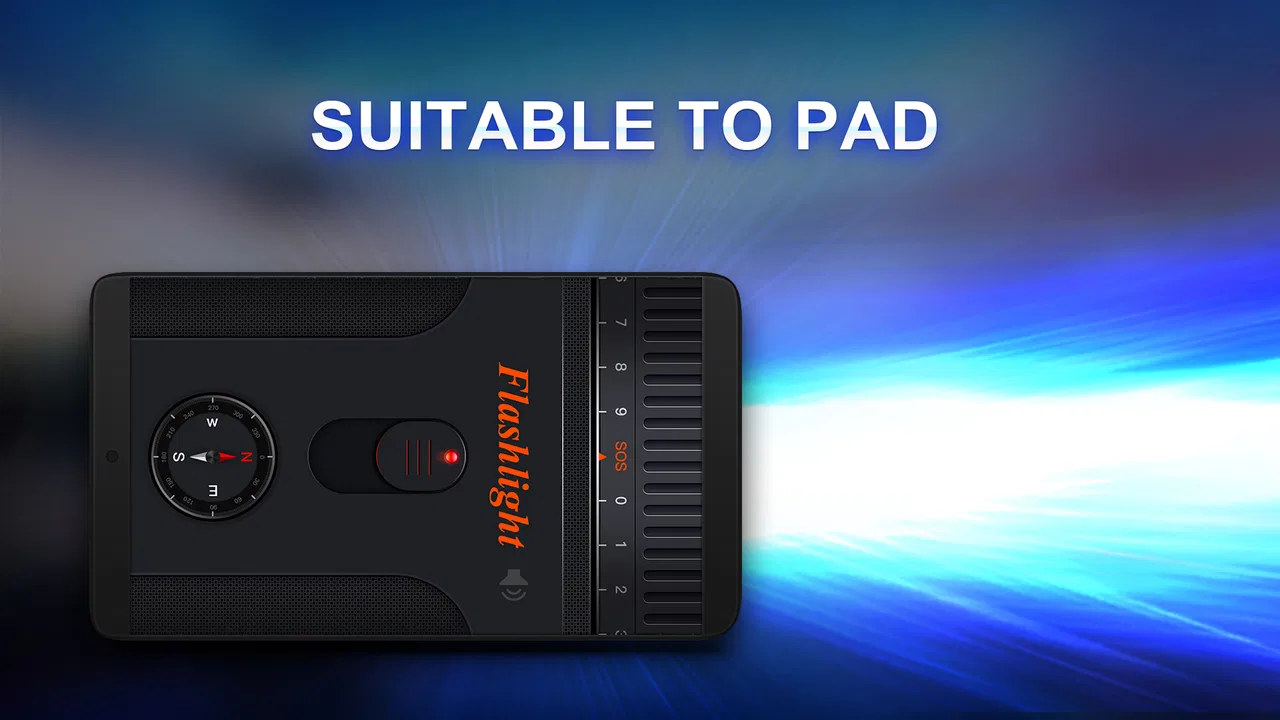
The digital compass gives the app a second practical role. A flashlight alone helps me see, while a compass helps me keep a basic sense of direction. That combination is handy when walking from a campsite to a parked car, checking the orientation of a path, or trying to establish which way I am facing after leaving a building. It does not provide a route or tell me where to turn, but it can complement a map when I only need a quick directional reference.
The strongest reason to choose this app is the pairing of immediate light and simple orientation in one small utility. Many phones already include a flashlight control in the quick settings panel, so installing another torch only makes sense if the extra compass is useful to you or if you prefer opening a dedicated app. For me, that makes the app more worthwhile during travel and occasional outdoor use than a plain torch clone.
Low battery use is important in real situations
A flashlight is often needed when the phone battery is already under pressure. You may be returning late, dealing with a power interruption, or using your phone away from a charger. In those situations, an app that aims for low battery consumption has a sensible advantage. I would still avoid leaving the light on unnecessarily, because any bright LED will draw power, but the app’s design goal fits the way a flashlight is normally used: briefly, directly, and without extra background activity.
This also affects how I would use it on a trip. Before leaving for a long walk, I would charge the phone, keep the screen brightness sensible, and use the light only when needed. The compass can help with a quick check, but I would not treat the phone as an unlimited emergency device. The app supports good battery habits; it cannot overcome an old battery, a damaged LED, or hours of continuous illumination.
A realistic everyday example
Imagine arriving home after dark with shopping bags in both hands. The entrance light is out, and your keys have slipped near the door. A quick flashlight control can help you see the ground, but the dedicated app becomes more useful if you are also in an unfamiliar apartment complex and need to confirm the direction back toward the main road. I would open the light, find the keys, then use the compass briefly before putting the phone away. That is a small scenario, but it shows the app’s real value: it combines two immediate tasks without asking me to install separate utilities.
Another good use is checking a poorly lit hotel corridor or locating a tent entrance after sunset. The compass is not essential in either case, yet it is available when a directional check becomes helpful. This is a better fit than carrying a separate compass for casual travel, while still leaving serious navigation to a map and a proper plan.
What the compass can and cannot do for you
I would treat the digital compass as a quick reference rather than a precision instrument. Phone compasses can be affected by nearby metal, electronic equipment, or the way the device is held. If the direction looks unstable, I would move away from a vehicle, railing, speaker, or other possible interference and hold the phone steadily. That is not a flaw unique to this app; it is a practical limitation of using a phone sensor for orientation.
The distinction is important for safety. Bright LED Flashlight can help me see a path and understand a general heading, but it is not the right sole tool for wilderness navigation, maritime use, surveying, or any situation where a wrong bearing could create real danger. For those tasks, I would use a dedicated compass, an offline map, and appropriate preparation. The app is strongest when the compass is a convenience rather than the only thing keeping me on course.
Where the simple approach works—and where it feels limited
The clean focus is also the app’s main weakness. Users who expect a complete outdoor companion may find the experience too basic. There is no reason to install a flashlight utility if your phone’s built-in control already gives you everything you need and you never use a compass. In that case, the extra app may add little to your daily routine.
I also would not choose it as my main travel application. A map app is better for addresses, routes, saved places, and live directions. A weather app is better for conditions and forecasts. A hiking tool is better when you need trails, elevation, offline maps, or recorded tracks. Bright LED Flashlight occupies a much smaller space: it gives you light and a directional aid, not a complete travel system.
There is another trade-off with any phone-based torch. The light source is tied to the device’s camera hardware and battery. If the phone is already being used for navigation, calls, photos, or emergency communication, keeping the LED on can reduce the time available for those more important functions. I recommend using the app for short tasks and carrying a dedicated flashlight for camping, work, repairs, or frequent night walking.
The app’s age is worth considering as well. It was released on April 29, 2016, and the current version is 3.6.4. That history can be reassuring because the concept is established, but it also means I would not expect the kind of broad, modern travel integration found in newer specialist apps. Its minimum operating system is Android 7.0, so it is accessible on many older Android phones while remaining unsuitable for devices below that requirement.
Small habits that make it work better
I would use the app with a simple routine rather than leaving it open as a permanent tool. First, open the light only when the phone’s built-in shortcut is inconvenient or when I want the compass as well. Second, hold the phone away from magnetic or metal objects before trusting the direction. Third, switch the light off as soon as the task is finished and return to the home screen, especially when the battery is low.
For travel, I would check the compass before setting out rather than waiting until I am already confused. A quick look at the general direction of the hotel, road, or trail can make later orientation easier. I would also avoid using a compass reading beside a car or large metal structure. These habits are more valuable than treating the app as a sophisticated navigation system.
For emergencies, I would think of the flashlight as an attention and visibility aid. It can help me see a lock, make my position easier to notice, or inspect a dark area. I would not assume that a phone flashlight alone is enough for a long outage or remote trip. A charged phone, a power bank, and a separate torch remain sensible companions when reliability matters.
Who should install it?
I think Bright LED Flashlight is best for Android users who want a free, uncomplicated light and occasionally need a compass. It suits people who travel casually, stay in unfamiliar places, walk around after sunset, or prefer a dedicated utility instead of searching through quick settings. It is also a reasonable choice for an older compatible phone because the minimum system requirement is Android 7.0 rather than a recent release.
The Everyone content rating makes it appropriate for general household use. A parent might keep it available for a child who needs to find something in a dim room, although I would still supervise young children around bright lights and remind them not to shine the LED into anyone’s eyes. The app’s straightforward purpose is easier to explain than a large travel application filled with accounts, maps, and location features.
I would skip it if your phone already has a dependable flashlight and compass that you can access instantly, or if you need professional navigation. I would also skip it if your main goal is route planning, offline trail guidance, weather information, or location sharing. In those cases, a specialized alternative will serve you better, and adding a separate torch app may only create another icon you rarely open.
How it compares with built-in tools and specialist alternatives
Compared with the built-in flashlight, this app’s argument is convenience through combination. The system shortcut is usually faster for turning on a light, and it avoids using storage for another utility. Bright LED Flashlight becomes more appealing when the digital compass matters or when you prefer a single dedicated screen for both functions. I would choose the built-in control for a quick search under furniture, but I would consider this app when traveling or checking direction.
Compared with a dedicated compass app, it is more practical for short outdoor moments because the light is immediately relevant too. A specialist compass may offer more orientation-focused tools, but that is not necessarily an advantage if all you want is a basic heading. The right choice depends on consequence: casual direction checks favor this compact approach, while demanding navigation calls for a more capable tool and a backup method.
Compared with a physical flashlight, the app wins on availability because the phone is often already in my pocket. The physical device wins on endurance, grip, durability, and independence from the phone battery. I would use Bright LED Flashlight around the house, at a hotel, or for a brief walk from a car. I would pack a real torch for a long hike, roadside repairs, work in dark spaces, or any situation where the phone must remain available for communication.
What the store figures suggest about its role
The app has a 4.7 average and around 19 thousand ratings, alongside more than 5 million installs. I see that as evidence of broad usefulness rather than proof that it will suit every phone or every traveler. A simple tool can earn lasting appeal when it performs one common job without demanding much attention.
Its free price also lowers the barrier to trying it. I can test whether the light and compass fit my routine without committing to a paid travel suite. Still, free does not automatically mean essential. If the phone already handles both tasks well, the practical benefit may be small. The decision should come down to whether the combined utility is faster or more comfortable for the way you use your device.
My final recommendation
After weighing the convenience against the limitations, I see Bright LED Flashlight as a sensible small utility rather than a full travel solution. Its best quality is its restraint: it gives me a bright phone light, keeps battery use in mind, and adds a digital compass without burying the basic function under unrelated features. That makes it easy to recommend for casual travel, household emergencies, and brief outdoor orientation.
My recommendation is strongest for anyone who wants a free flashlight app with one genuinely useful extra. I would not present it as a substitute for maps, a physical torch, or serious navigation equipment. If you understand that boundary, the app does its job well. For me, it earns a place on an Android phone when quick illumination and a basic sense of direction are more useful together than either tool would be alone.
FAQs for Bright LED Flashlight
01What is Bright LED Flashlight and what can it do?
Bright LED Flashlight is a simple utility app that turns your Android or iPhone’s camera LED into a bright portable torch. After opening the app, you can usually switch the light on or off with one tap, making it useful during power cuts, while searching in dark places, walking at night, or finding items under furniture. Its main purpose is quick, uncomplicated illumination rather than advanced lighting features.
02Does Bright LED Flashlight require any special permissions?
To operate the phone’s LED, Bright LED Flashlight may request access to the camera because the flash hardware is controlled through the camera system. This does not necessarily mean the app is taking photographs, but users should still review the permissions shown during installation and in the device settings. Permission availability can vary by Android version, iPhone model, and the specific edition of the application.
03Can Bright LED Flashlight work without an internet connection?
In most situations, Bright LED Flashlight can be used offline once it has been installed, because the torch function relies on the device’s built-in LED rather than an online service. This makes it practical in emergencies, basements, camping areas, or locations with weak reception. However, advertisements, analytics, updates, or optional features may require an internet connection depending on the version available in the app store.
04Does using Bright LED Flashlight drain the battery quickly?
The application itself normally uses very little power, but the camera LED can consume noticeable battery energy when it remains switched on for a long time. Brightness, device model, battery condition, and background activity all affect usage. For short tasks, the impact should be modest, but it is sensible to turn the light off when finished and avoid relying on it for extended periods when your battery is low.
05Are there any limitations or safety concerns when using the app?
Bright LED Flashlight depends on hardware support, so it may not function correctly if the device has no LED flash, another app is using the camera, or the operating system restricts access. The light can become warm during prolonged use, and users should avoid shining it directly into anyone’s eyes. Before downloading, check compatibility, privacy details, advertising information, and recent user reviews for the specific store version.
Pros
- Turns your phone into a bright
- easy-to-use emergency light.
- Starts quickly
- making it useful during power cuts or nighttime tasks.
- Simple controls are suitable for users of all ages.
- Can help locate items in dark spaces without extra equipment.
- Usually works without an internet connection.
Cons
- Bright output may drain your battery quickly during extended use.
- Some devices may limit brightness because of hardware differences.
- Using the flash for long periods can make the phone warm.
- The light may be too harsh for close-up use or sensitive eyes.
- Ad-supported versions may include interruptions or privacy concerns.

Bright LED Flashlight
Gallery